Choose the right source before spending credits
A saved caption is part of the picture
First look for the photo before the caption was added. If you still have an editable version, changing the text there can avoid rebuilding the background. For a saved image with the words already merged into its pixels, this workspace offers an AI repair on a copy.
Snapchat documents its Memories and Camera Roll save options. Start with a saved still image you can open in your photo library. This page does not require Snapchat login or change anything in the Snapchat app. Image Text Eraser is an independent tool.
| What is on your photo | What to request | What to inspect |
|---|---|---|
| White words on a dark caption bar | Remove the full caption and the complete bar behind it. | Both horizontal edges, brightness and objects crossing the strip. |
| White letters with a dark outline | Remove the letter fills, outlines and any shadow. | Black halos, small gaps inside letters and nearby scene edges. |
| One caption beside writing you need | Quote the caption and explicitly name the writing to keep. | Read every retained word. The rest of the image is not locked. |
| Moving captions in a video | Use a video editing workflow for the clip. | This image tool processes a still frame only. |
One image first, then decide
Remove a caption from your saved photo
- 01 / Choose a copy
Upload the saved still image
Keep your original. Use the best saved file you have rather than taking another screenshot with app controls around it. Preview the upload to confirm the entire caption is visible.
- 02 / Describe the overlay
Name the words and their backing
The editor starts with a caption removal instruction. Adjust it to name a black bar, outline or shadow. If there is other writing to retain, identify it before processing.
- 03 / Inspect and download
Check the reconstructed scene
Inspect both the letters and the region around them. Follow railings, faces, water edges and repeated textures across the repair. Download a checked result as a separate copy.
If the caption sits in an expendable edge, a crop in your photo editor may solve the problem. For an important face or geometric detail, an original without the caption or a controlled local edit gives you a better reference than an invented fill.
Caption strip and outlined letters
Compare two actual caption removal results
We generated these original photos with illustrative caption styles for this guide. They are not screenshots from Snapchat. Each result was processed by the current Image Text Eraser workflow using the exact instruction shown beside it.
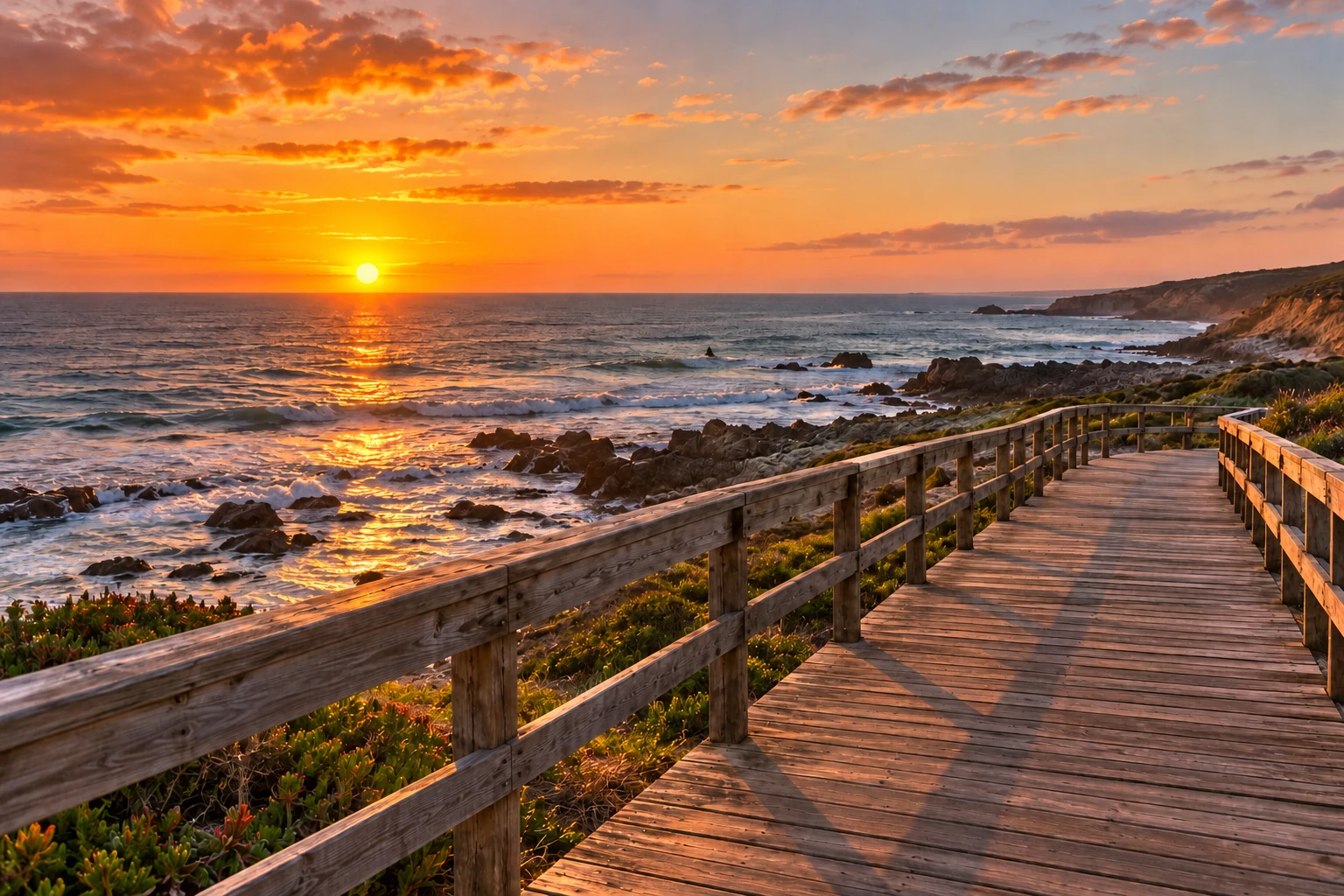
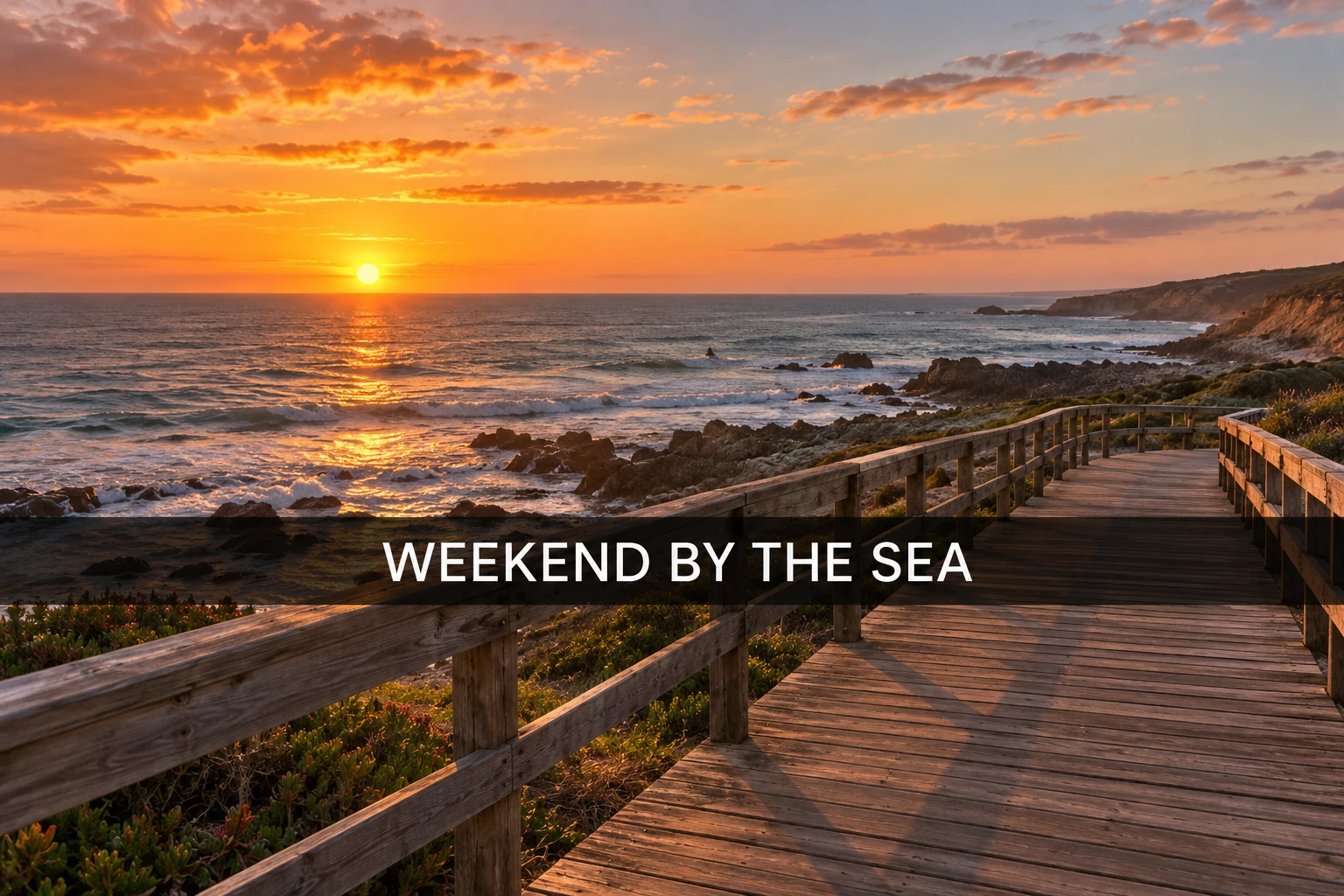
Caption and dark bar · Actual processing example · October 28, 2026.
Download the original caption bar example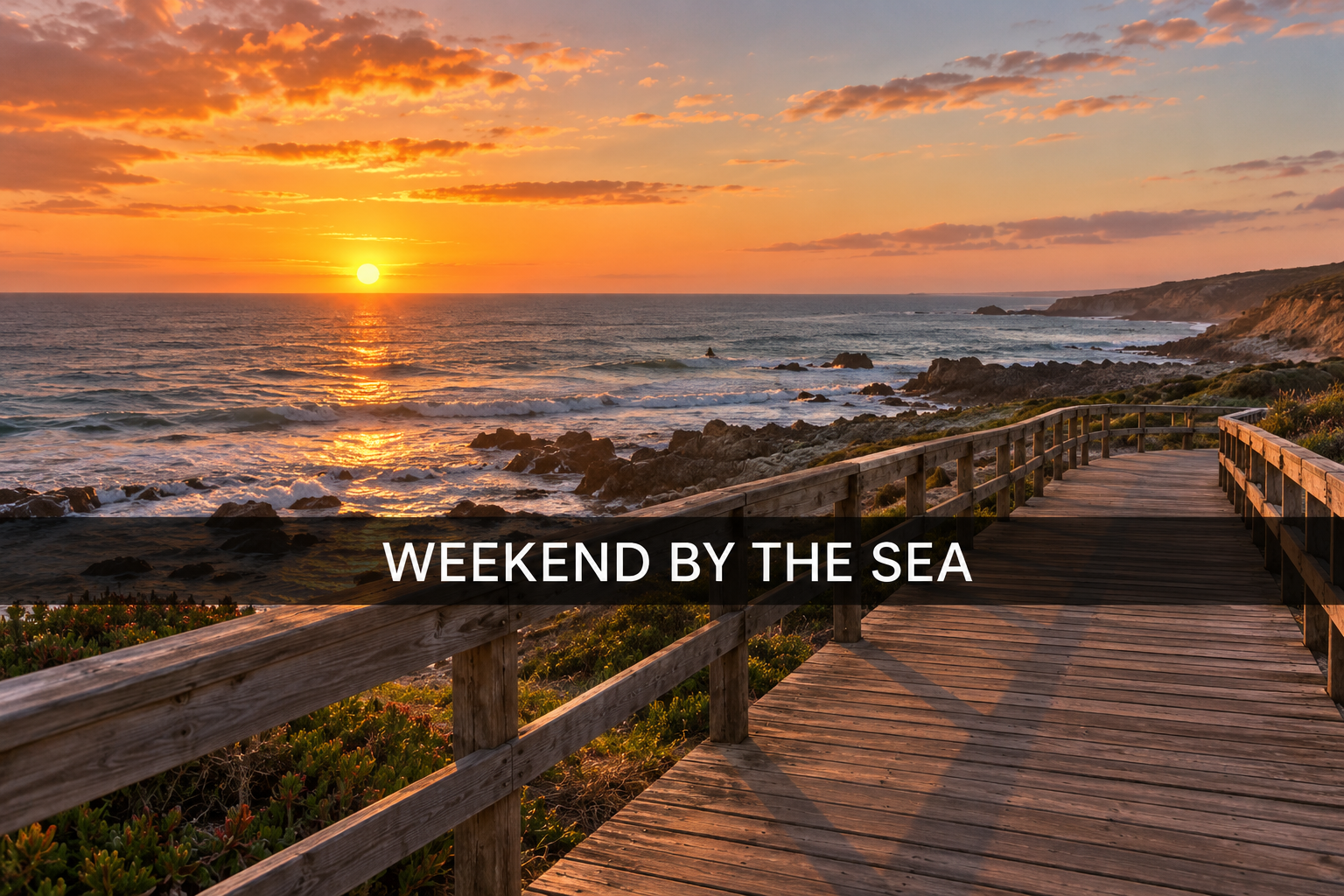
Remove both the words and the strip
The caption “WEEKEND BY THE SEA” crosses the coastal scene inside a translucent black band. The task includes the band itself. Inspect the boardwalk and railings where the strip crossed them, rather than checking the words alone.
Remove only "WEEKEND BY THE SEA" and the entire translucent black caption bar behind it. Reconstruct the coastal scene, boardwalk and railings across the strip. Keep the horizon, sea, sky, lighting and composition. Do not add text or crop the photo.
The white caption and the dark strip are gone. The railing and boardwalk continue across the former bar without an obvious rectangular edge. Wave shapes, rocks and wood grain also changed, including outside the strip. Compare the whole scene before choosing this copy.
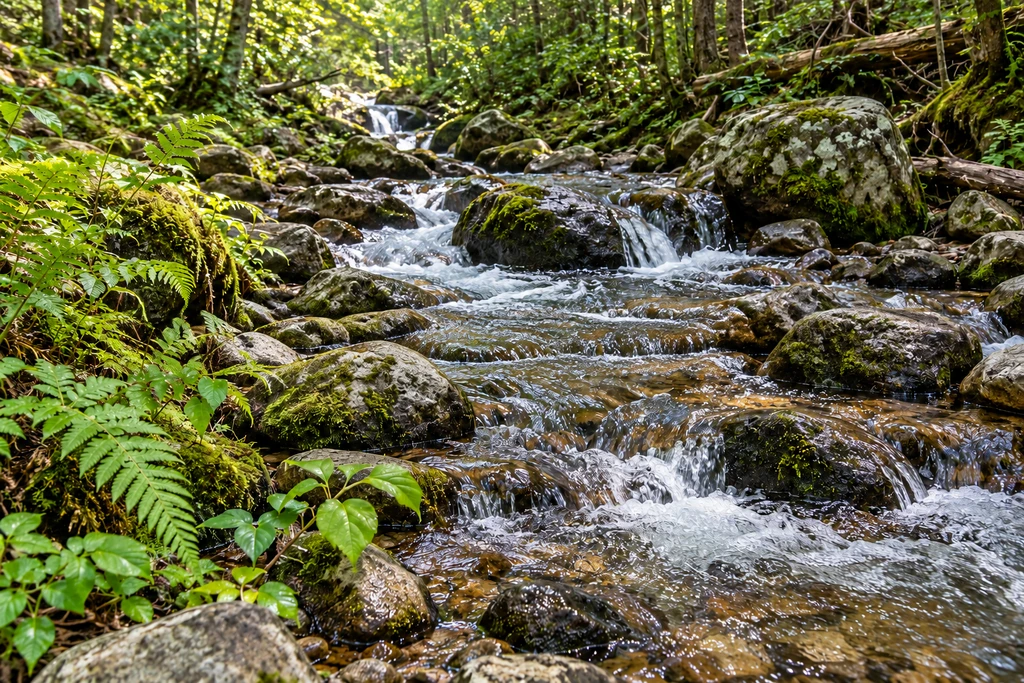
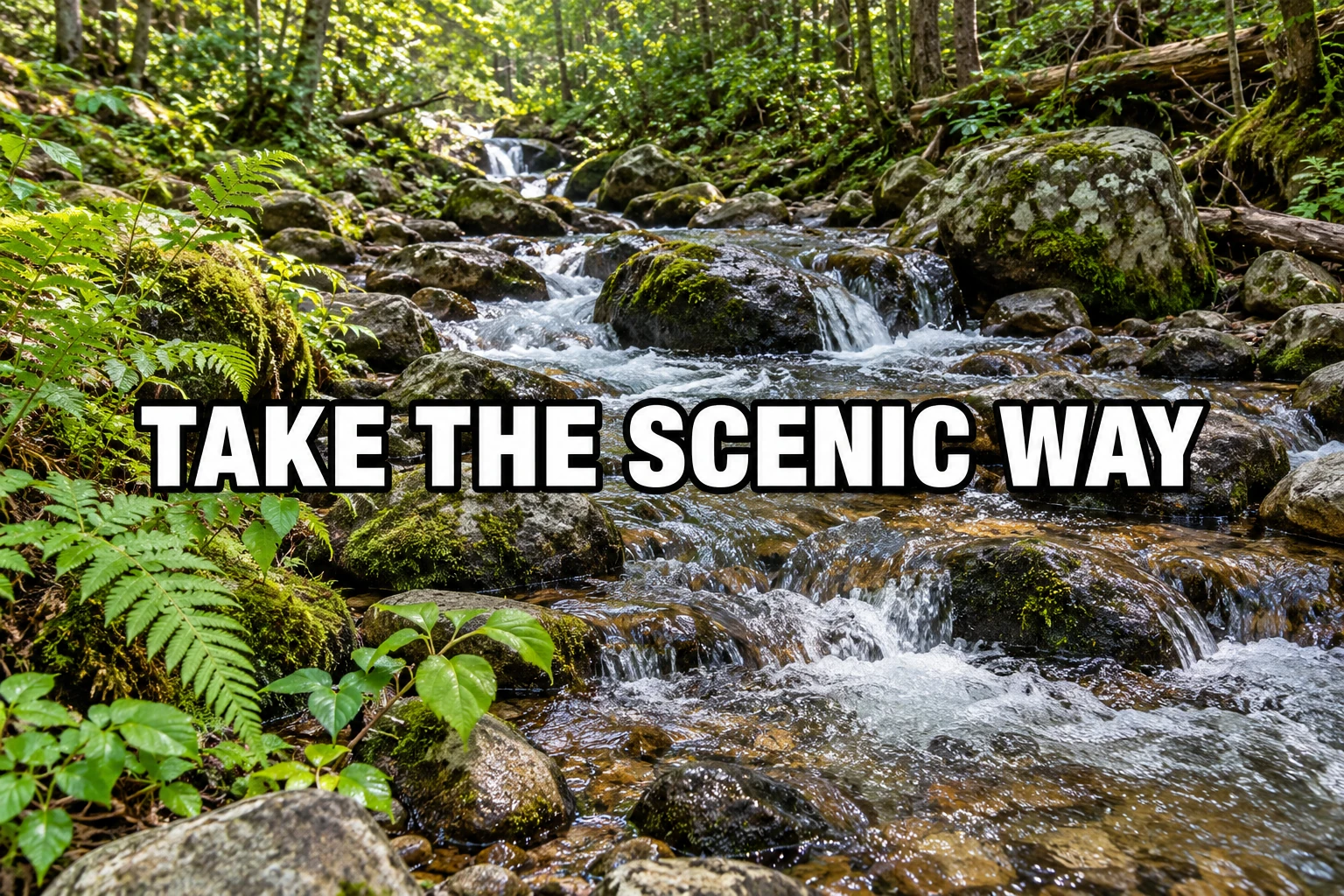
Outlined caption over a detailed creek · Actual processing example · October 28, 2026.
Download the original outlined caption example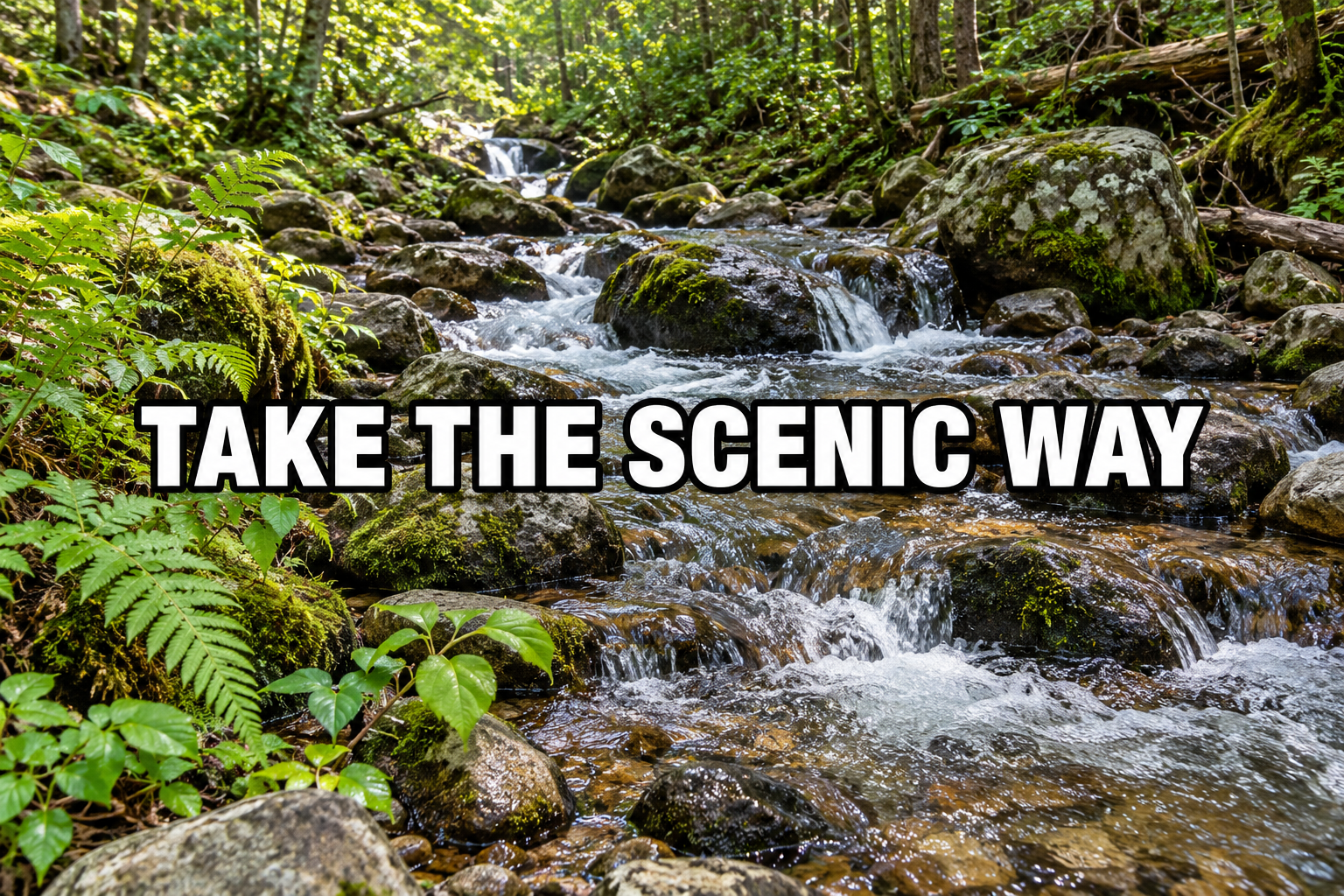
Look for halos around the old letters
“TAKE THE SCENIC WAY” uses white fills and a heavy black outline over water, stones and foliage. Both colors need cleanup. Check the spaces inside the letters, then compare the rock and water boundaries with the original.
Remove only "TAKE THE SCENIC WAY", including its white letters, black outlines and any text shadow. Reconstruct the water, rocks and leaves beneath the lettering using nearby detail. Keep the creek, trees and composition. Do not add text or crop the photo.
The white letters and black outlines are gone, with water and rocks filling the former caption area. Water patterns, moss, rock surfaces and leaves have also been redrawn beyond the lettering. This is a generated version of the scene, not an exact recovery of what the caption covered. The downloaded result is 1,024 × 683 pixels from a 1,536 × 1,024 original, so check its size before printing.
Remove the overlay. Check what replaced it.
A caption can disappear while the scene changes. Use the checks below to decide whether the new copy is suitable for your purpose.
Decide what makes a usable result
Check the strip, the letters and the whole photo
Inspect the former overlay
- Look for a remaining dark rectangle, visible strip edge or different brightness.
- Check black outlines, white fragments, shadows and the holes inside letters.
- Follow lines and textures through the edited area. Look for doubled rails, stretched stones or smeared foliage.
Compare important details elsewhere
- Compare faces, hands, signs, reflections and object shapes with the untouched file.
- Read any writing that should remain. A keep instruction is a request, not a pixel lock.
- Inspect the downloaded size and detail at the size you intend to share or print.
If the caption is gone but the scene looks distorted, keep the original and try a controlled local edit on a copy. A new AI attempt may produce another variation and consumes another task and credits. It cannot establish what the original hidden scene looked like.
For a date printed by a camera, use the photo date stamp examples. For a caption beside a label you must retain, use the specific text instructions to write clearer exceptions.
Saved files, costs and limits
Snapchat text removal FAQ
Can I remove Snapchat text from a saved photo?
You can upload a supported saved image and request caption removal. If the caption is part of the image pixels, the tool generates replacement detail using nearby content. Inspect the result before using it. An original photo without the caption is preferable when you have one.
How do I remove the black bar as well as the words?
Name both the caption and its entire dark background bar in Custom instructions. Removing only the letters may leave the rectangle or its edges. Compare brightness across the former bar, then inspect lines and objects crossing it. There is no selection brush or pixel lock in this workspace.
Will this reveal the original picture underneath a caption?
No. It produces a plausible reconstruction, not a recovery of hidden pixels. Opaque areas contain no visible original detail to retrieve, and even a translucent bar changes what the tool receives. Faces, lettering, reflections and repeated patterns may be redrawn. Keep the original file and reject edits that change important details.
Does this remove captions from Snapchat videos or live chats?
This editor accepts static image files. It does not connect to Snapchat, modify a live Snap, edit a sent message or process video and audio captions. A screenshot can be edited as a still image, but that does not change the original Snap or video.
Can I use it on my phone or on several saved pictures?
Upload JPG, PNG or WebP images up to 20 MB each and 4,096 pixels on the longest edge. Export a supported still image first if your file is HEIC or video. A submission can contain up to 10 images with one shared instruction; test one first and split images that need different exceptions.
What does one caption cleanup cost?
The current cost is 10 credits per image, shown before processing. Eligible new verified accounts currently receive 30 trial credits, enough for 3 images at that rate. Sign in to check your available balance. A new processing attempt uses another task and credits; inspect one result before submitting a batch.