Check the file first
Does the caption travel with the photo?
Open the saved image itself before uploading. If the words are visible there, they are image pixels. If the words appear only in the surrounding app or below the post, changing the photo will not edit that caption field.
| Where the words appear | What to do | What needs checking |
|---|---|---|
| Lettering inside a saved photo | Quote the caption in the editor above. | Old letter edges, repaired texture and the whole portrait. |
| A caption below a social post | Edit the caption field in the source app. | Whether the downloaded photo actually contains the words. |
| Text over a face or fine hair | Look for the clean original first. If you try AI, keep a reference. | Facial features and silhouette; the fill is generated. |
| Subtitles that move through a video | Use the original video and an appropriate video workflow. | This workspace processes static JPG, PNG and WebP files. |
Keep a portrait reference
Remove the words, then compare the person
- 01 / Start with the file
Use the best saved copy
Keep the untouched original. Upload the photo itself, rather than a screenshot that adds surrounding app controls. A clean original before the caption was added is the best starting point when available.
- 02 / Name the lettering
Quote the complete caption
Review the prepared request in Custom instructions. Replace it with the exact words and their position. Include outlines or shadows. Name other visible writing to keep, then check the credit cost and process one image.
- 03 / Check likeness
Read the image at native size
Check the old caption footprint and compare the face, hair, clothing and surroundings. Download only if the reconstruction suits your use. A cleared caption does not establish an unchanged portrait.
Two actual tool results
Plain lettering and a caption near the face
These original source portraits were generated for this demonstration and depict fictional adults. We submitted each source through Image Text Eraser with the request shown beside it. The results below are the actual returned images, including their imperfections.
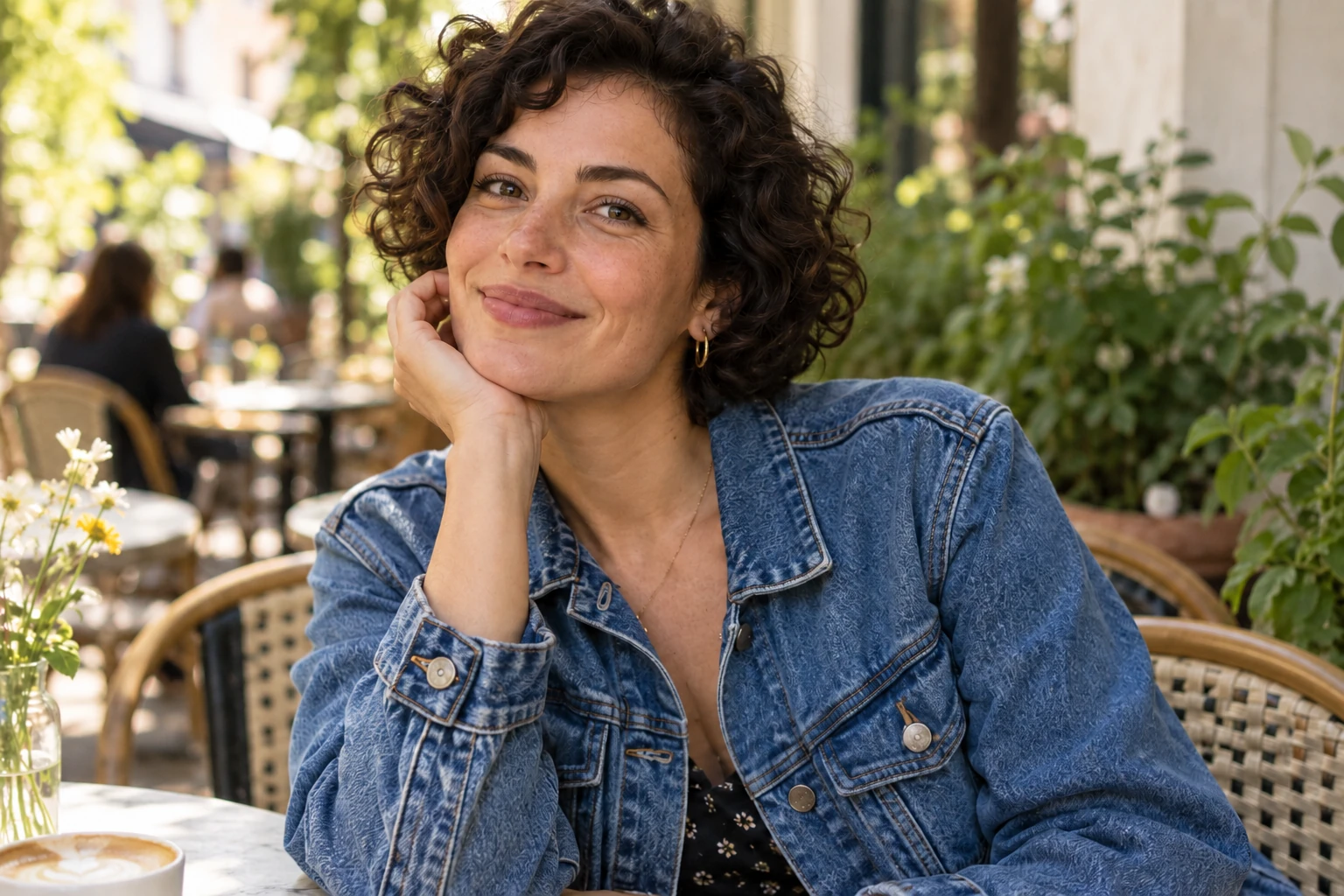
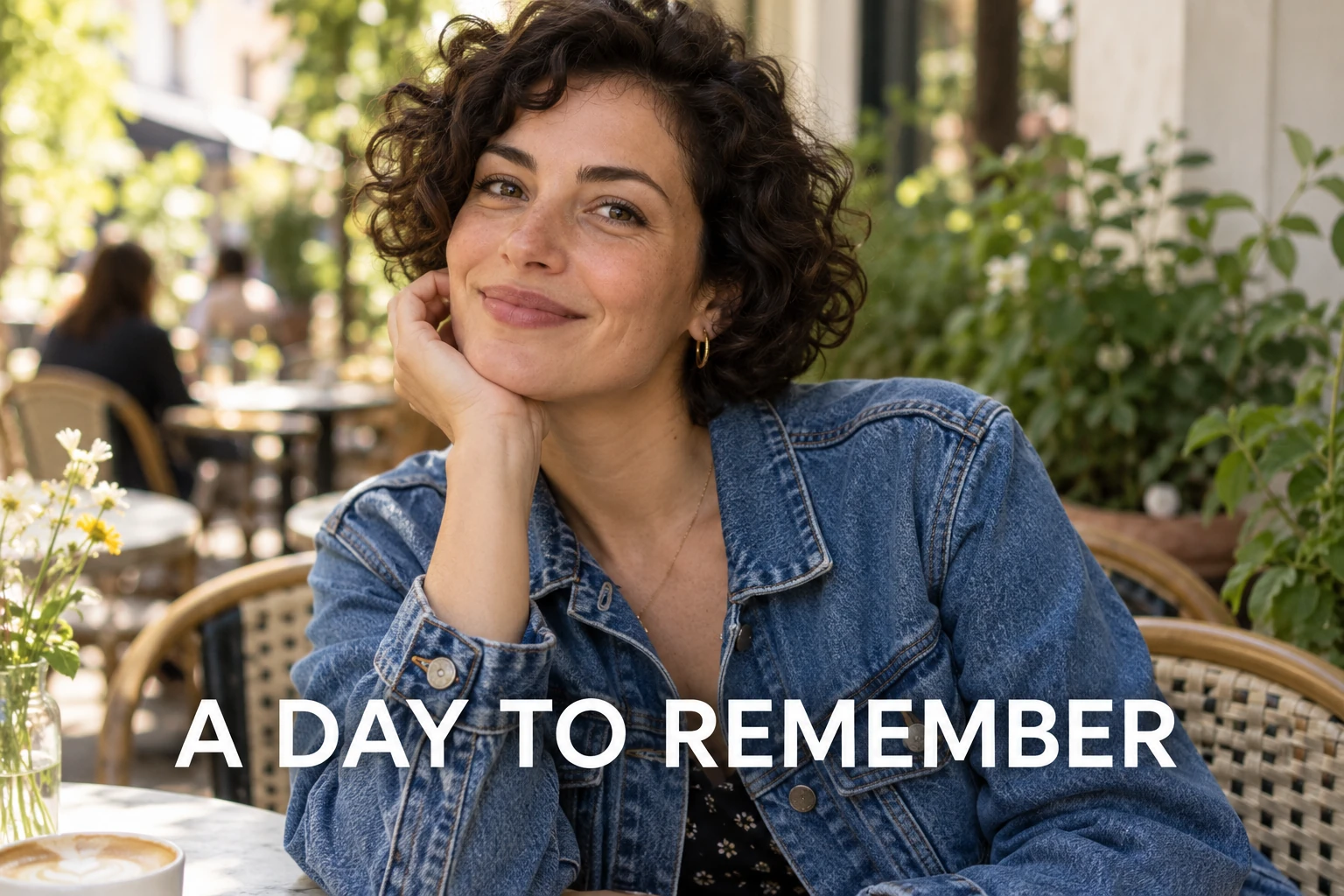
Original generated portrait of a fictional adult · Actual tool result · November 1, 2026.
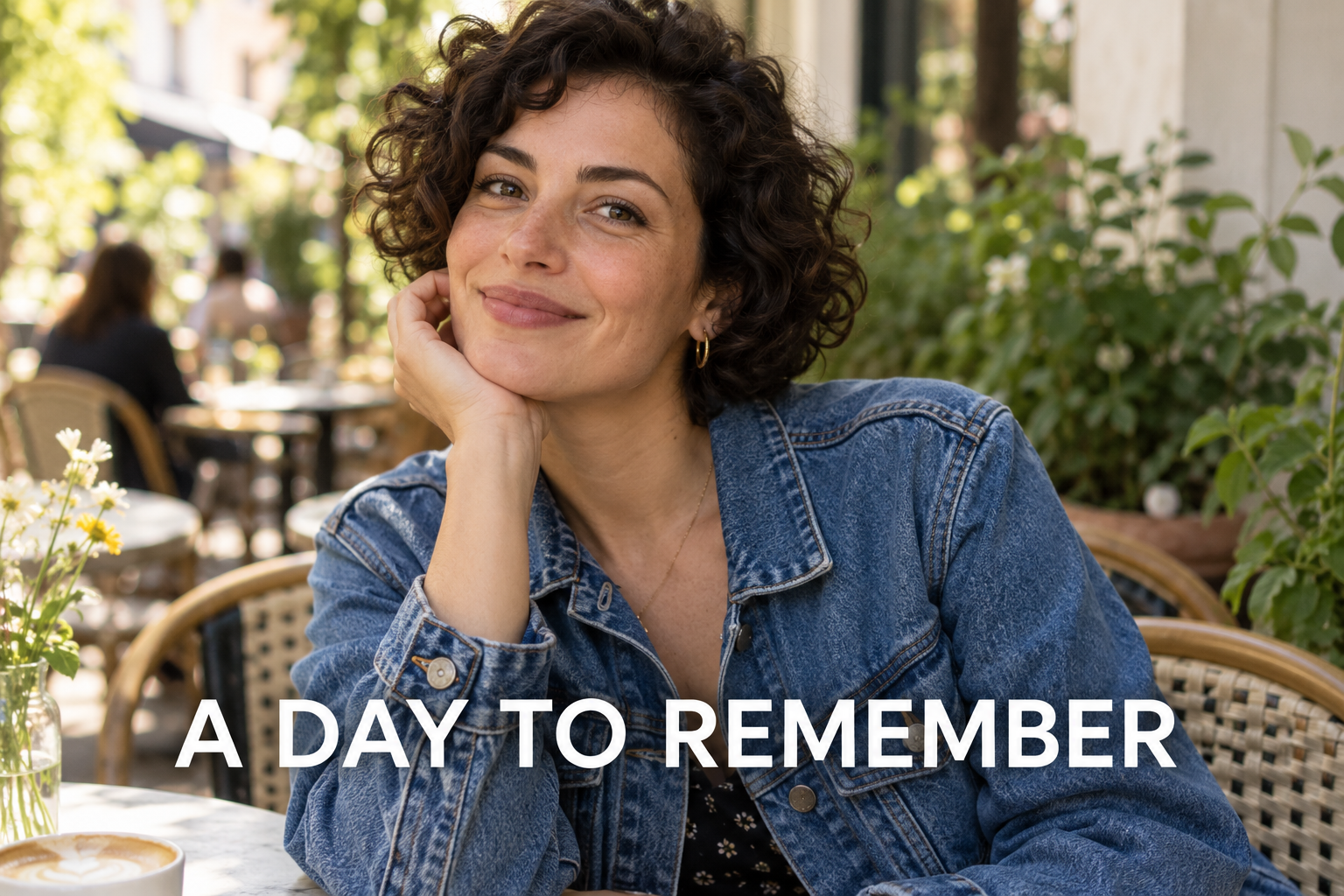
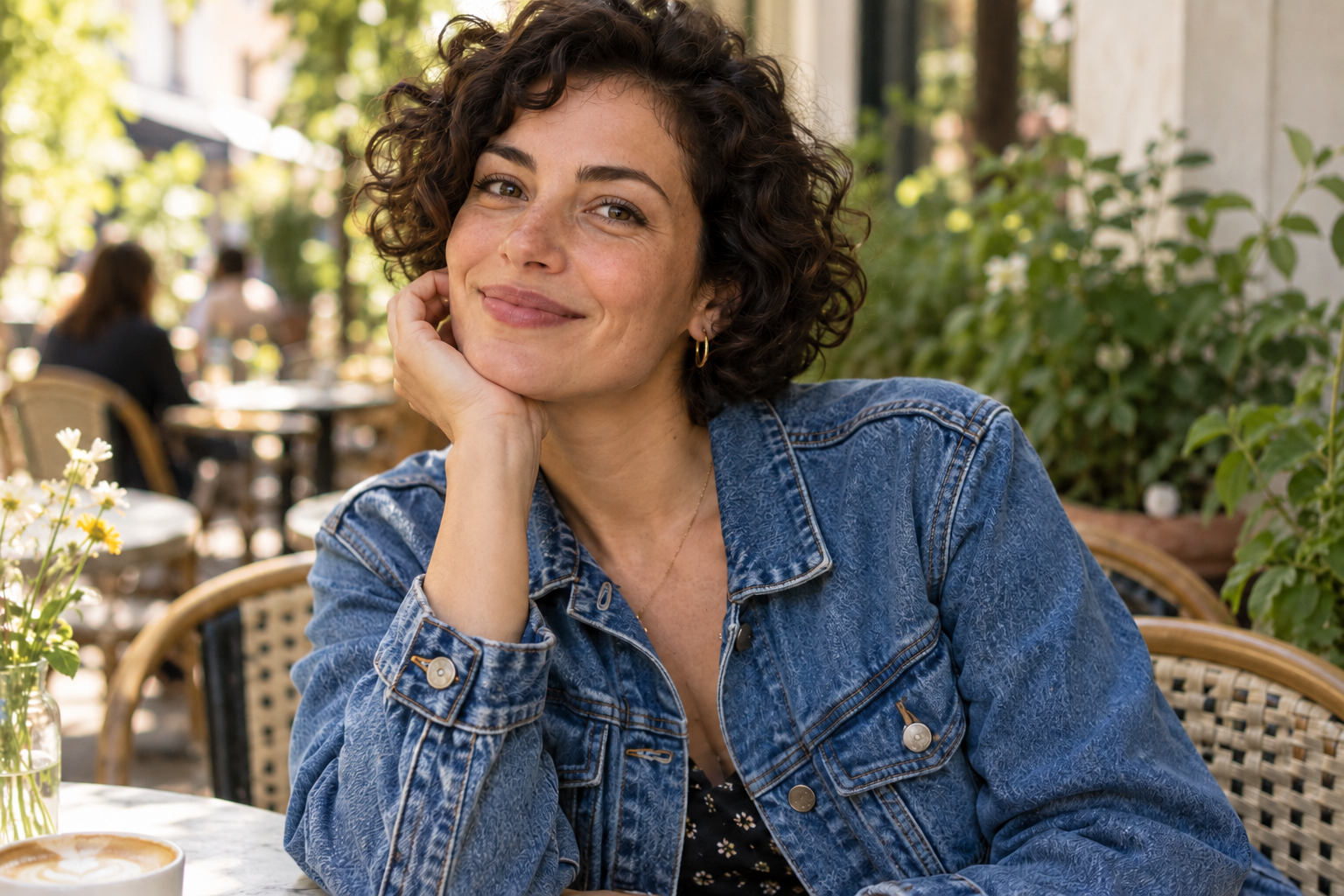
Compare portrait detail at 2×
The same source and actual result are enlarged with CSS around the face and portrait edge. Use the native PNGs to inspect the whole caption footprint and actual resolution. A close preview cannot prove unchanged likeness.
Clear plain letters over clothing
“A DAY TO REMEMBER” is plain white caption lettering. Check its complete footprint for pale fragments and changes to clothing texture. The uncovered face is a separate reference point, even though the words do not cover it.
Remove only "A DAY TO REMEMBER", including all white lettering and any attached shadow. Reconstruct the clothing and background covered by the caption. Keep the person, facial features, expression, hair, clothing, lighting and composition. Do not add words, crop or redesign the photo.
The white caption is gone and denim fills the former lettering area. Pocket stitching, fasteners and fabric detail differ. The pose remains recognizable, but lip contour, skin detail and curls also changed on the uncovered portrait. Removing words over clothing did not lock the face. The returned PNG is 1536 × 1024.
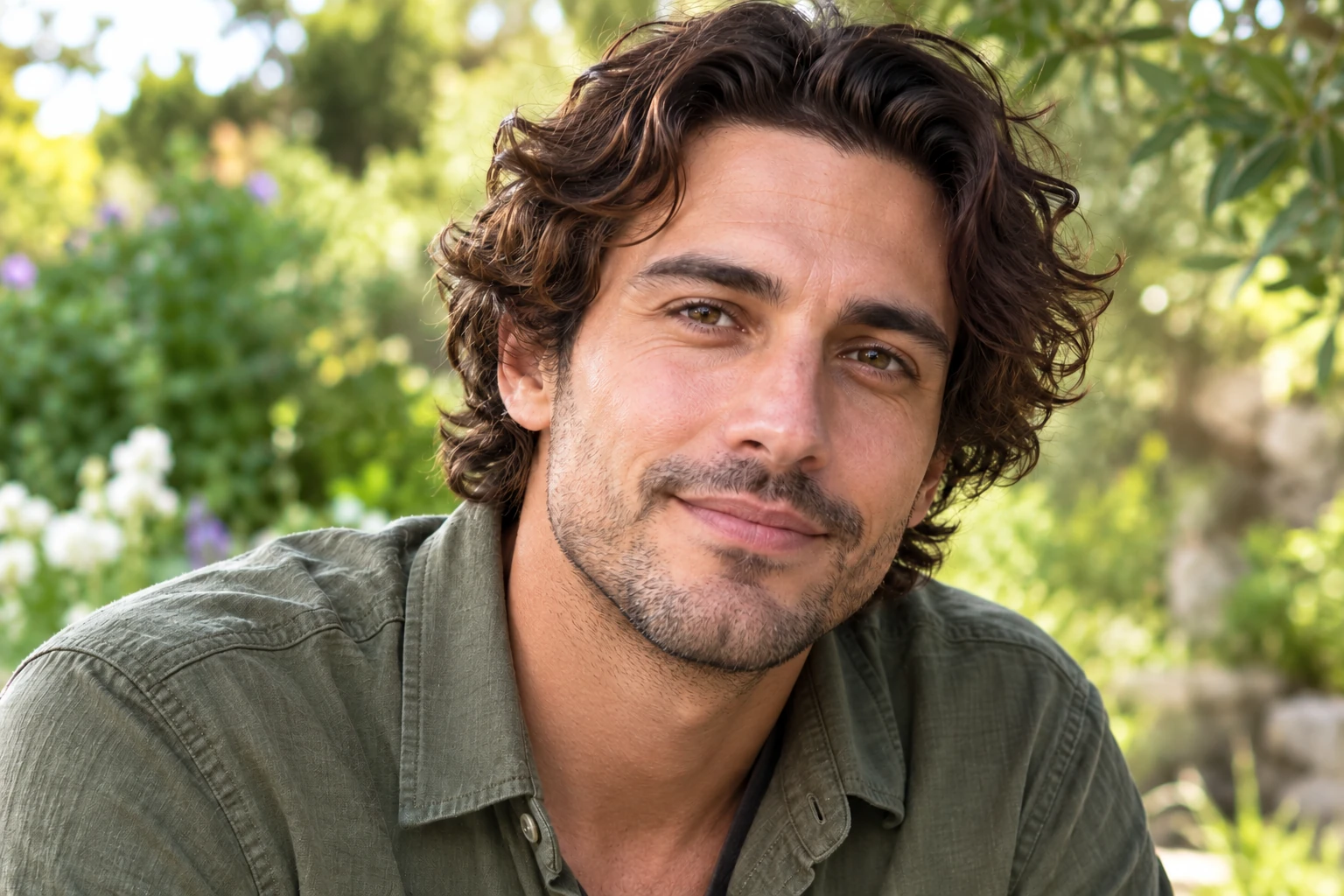
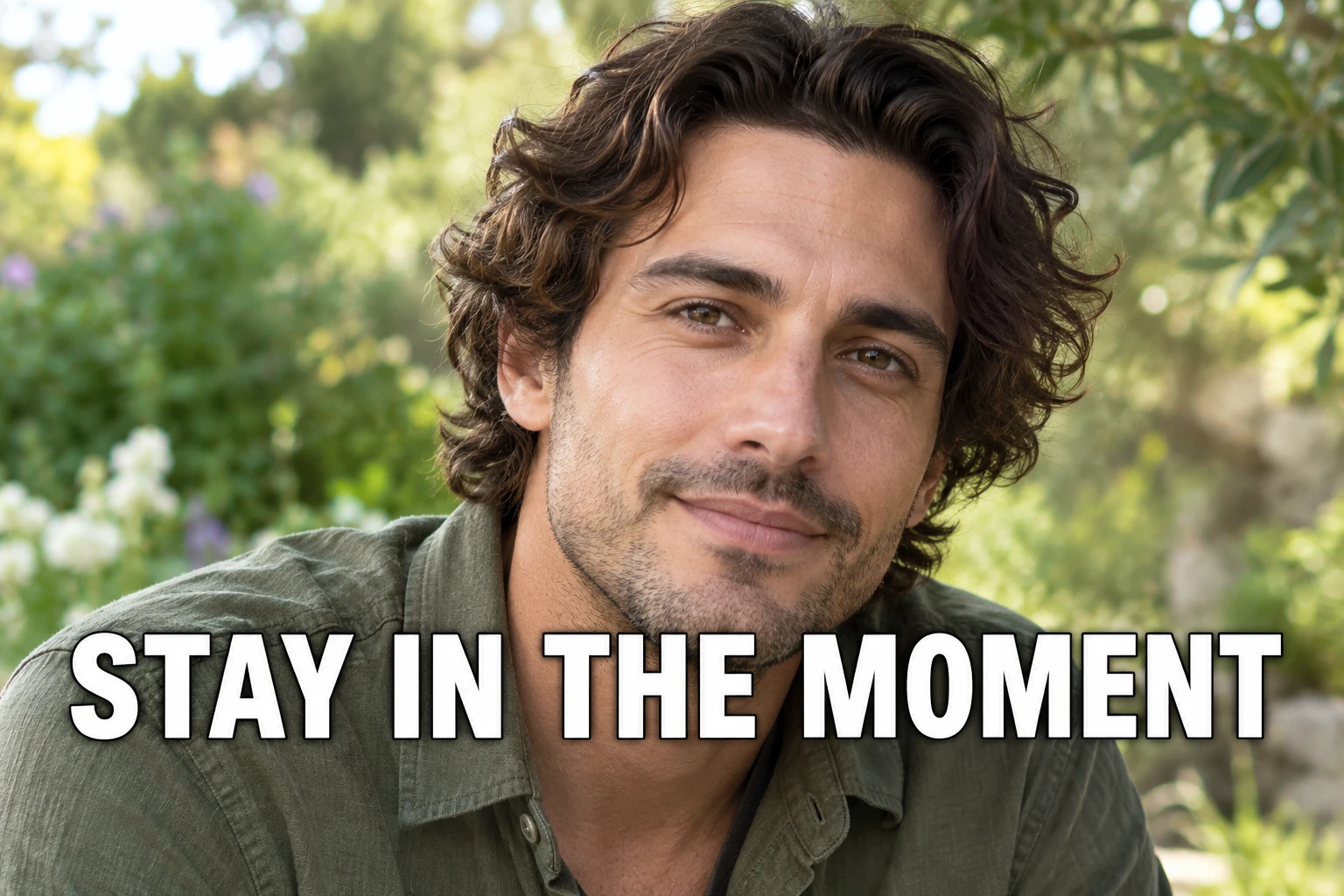
Original generated portrait of a fictional adult · Actual tool result · November 1, 2026.
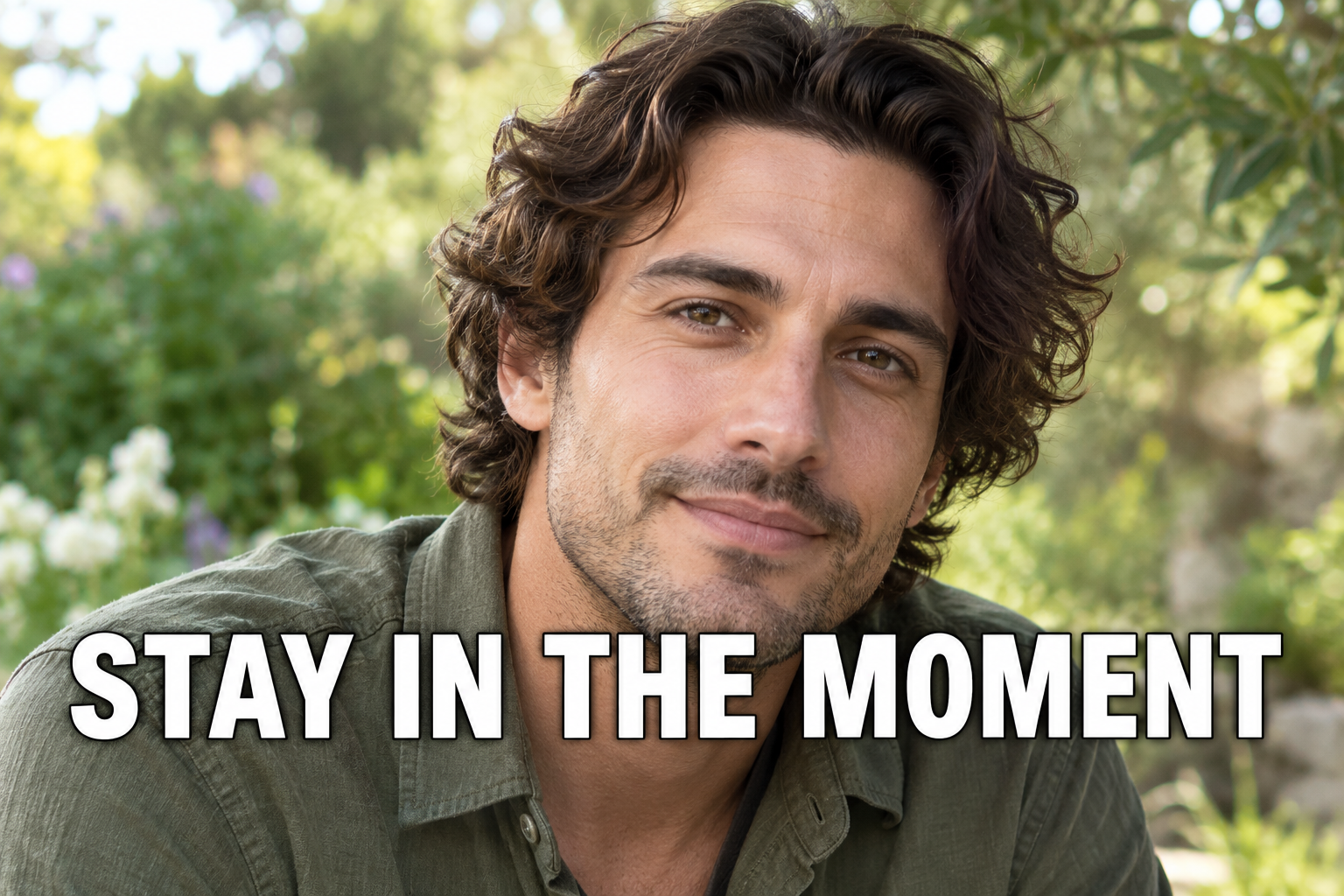
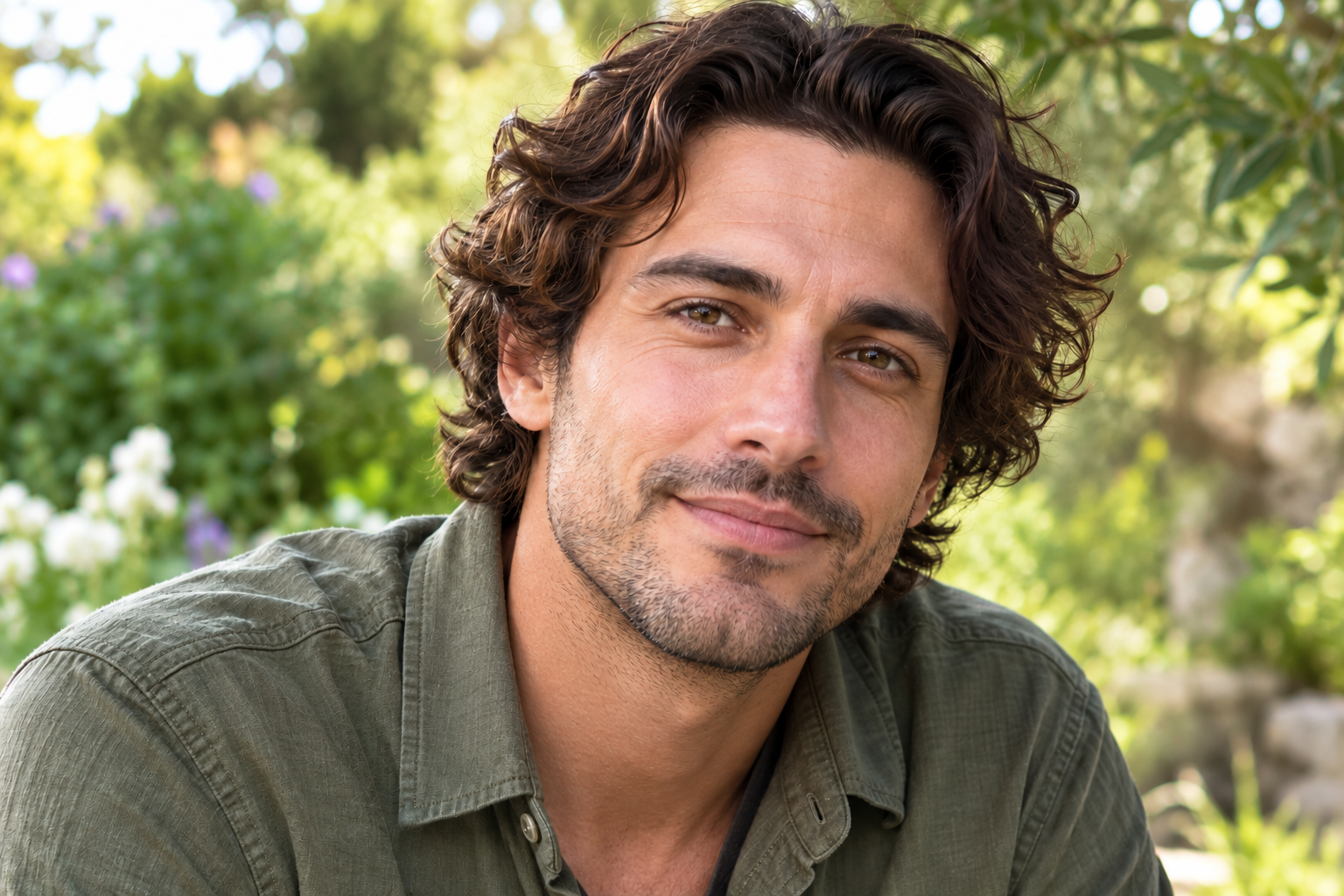
Compare portrait detail at 2×
The same source and actual result are enlarged with CSS around the face and portrait edge. Use the native PNGs to inspect the whole caption footprint and actual resolution. A close preview cannot prove unchanged likeness.
Check outlines across the chin and neck
“STAY IN THE MOMENT” has white fill and a dark outline crossing the lower chin and beard edge, neck and upper shirt. Request both parts of the lettering. Inspect the jaw boundary and neck texture, then compare the rest of the uncovered face and hair.
Remove only "STAY IN THE MOMENT", including its white letters and dark outlines across the lower chin, beard edge, neck and upper shirt. Reconstruct the covered areas using nearby detail. Keep the face, eyes, nose, mouth, expression, skin tone, beard, hair and composition. Do not add words or crop the photo.
The white letters and dark outlines are gone. Beard edge, neck and shirt continue through the former caption area, using generated detail rather than recovered original pixels. Beard stubble, skin texture, hair strands and shirt folds differ. Compare the uncovered face too before deciding whether the likeness suits your use. The returned PNG is 1536 × 1024.
Remove the overlay. Check what replaced it.
A caption check and a likeness check
Inspect more than the empty caption area
Check the lettering footprint
- Look for white flecks, dark outlines, shadows and letter shaped patches.
- Inspect the small holes inside letters and gaps between words.
- Compare fabric seams, folds and background texture through the cleared area.
Check the portrait independently
- Compare eyes, nose, mouth and expression with the untouched file.
- Trace the hairline, cheek and shoulder where lettering came close.
- Check skin texture and any visible accessories. Inspect the downloaded dimensions at the size you intend to use.
| What you find | Next step |
|---|---|
| The caption is gone and the portrait meets your needs | Keep the result as an edited image, alongside the original. |
| Small caption remnants remain | Name the missing outline or shadow in a more focused request, or use a controlled local edit. A new AI task uses more credits. |
| Likeness or important features changed | Discard that result for a faithful portrait. Find the clean original or edit the caption locally where possible. |
| The words concealed important facial features | Use the original source for those details. A plausible face fill cannot verify what the caption hid. |
For a whole dark caption strip, use the saved photo caption bar examples. If some lettering must stay, use the specific text instructions. For background texture changes, compare the background repair results.
Caption fields, faces and files
Photo caption removal FAQ
Can I remove a caption that is burned into a photo?
Upload the image file and quote the caption in Custom instructions. Ask to remove its outline or shadow too if present. The model reconstructs the area covered by the lettering. Inspect the full result and retained portrait details before downloading it for reuse.
Can I remove an Instagram caption with this tool?
If the words are visible inside the downloaded JPG, PNG or WebP, they are part of the image and can be submitted for this cleanup workflow. If they appear only below the post, edit that caption in the source app instead. This workspace edits a static image; it does not connect to a social account or modify a published post.
Will a person’s face stay exactly the same?
There is no face lock, selection brush or guarantee of identical features. The model may change eyes, skin texture, expression, hair, jewelry or clothing even when the lettering is elsewhere. Compare the original and result at native size. If likeness or a faithful portrait matters, use the clean original or a controlled local edit.
Can it recover facial details hidden by the caption?
It can generate a plausible fill, but cannot establish the real eye, mouth, hair or skin detail concealed by the letters. If the caption covers important facial features, find a clean original when possible. Do not treat a reconstructed feature as a recovery of the original person.
What if the caption has an outline or a dark strip behind it?
Include the complete letter shape, outline and shadow in the request, then inspect the inner spaces and old letter edges. If a full dark strip belongs to the caption, name that backing explicitly. The saved photo caption bar examples linked on this page show that separate backing removal task.
Which photo formats and credits do I need?
Use JPG, PNG or WebP images up to 20 MB each and 4,096 pixels on the longest edge. Current processing uses 10 credits per image. Up to 10 images can share one request; separate photos that need different exceptions. Eligible new verified accounts currently receive 30 trial credits, enough for 3 images at that rate. Test one portrait first. A new attempt uses another task and credits; output dimensions and detail can vary.