Start with the right source
Choose a clean base before you write the new joke
A meme image may have captions flattened into the photo or still exist as editable text layers. Check what you have before paying for a repair.
| Your source | Best next step | What you get |
|---|---|---|
| A clean photo without the old words | Use that file directly in your image editor. | No reconstruction is needed. |
| An editable design with caption layers | Remove or change those layers in its source editor. | Control over the original image and new type. |
| Only a saved image with captions in its pixels | Quote every old line in the tool above and inspect its repair. | A generated cleanup that needs a subject check. |
| One caption line must remain | Use a selective request instead of the prepared reset. | A targeted attempt, followed by a wording check. |
Clear, inspect, reletter
Make an image base for your next caption
- 01 / Inventory the copy
List every line to remove
Save the best available copy and keep it as a reference. Read the top, bottom and smaller side captions. Quote them all, including any outlines and shadows.
- 02 / Process one meme
Review the reset request
Upload the file above and replace the general request with its exact lines. Name any other writing to keep. Check the credit cost, then process one image before trying a batch.
- 03 / Build the new version
Inspect, download and add words elsewhere
Check the old caption areas and the whole subject. Download the result if the changes suit your use. Open it in an image editor to add and format your new top and bottom lines.
Original artwork, actual processing
Two meme resets with the requests and returned files
We generated these original animal scenes for this demonstration. They do not reuse an established meme template. Each after image came from processing the shown source through Image Text Eraser; it includes the model’s changes.
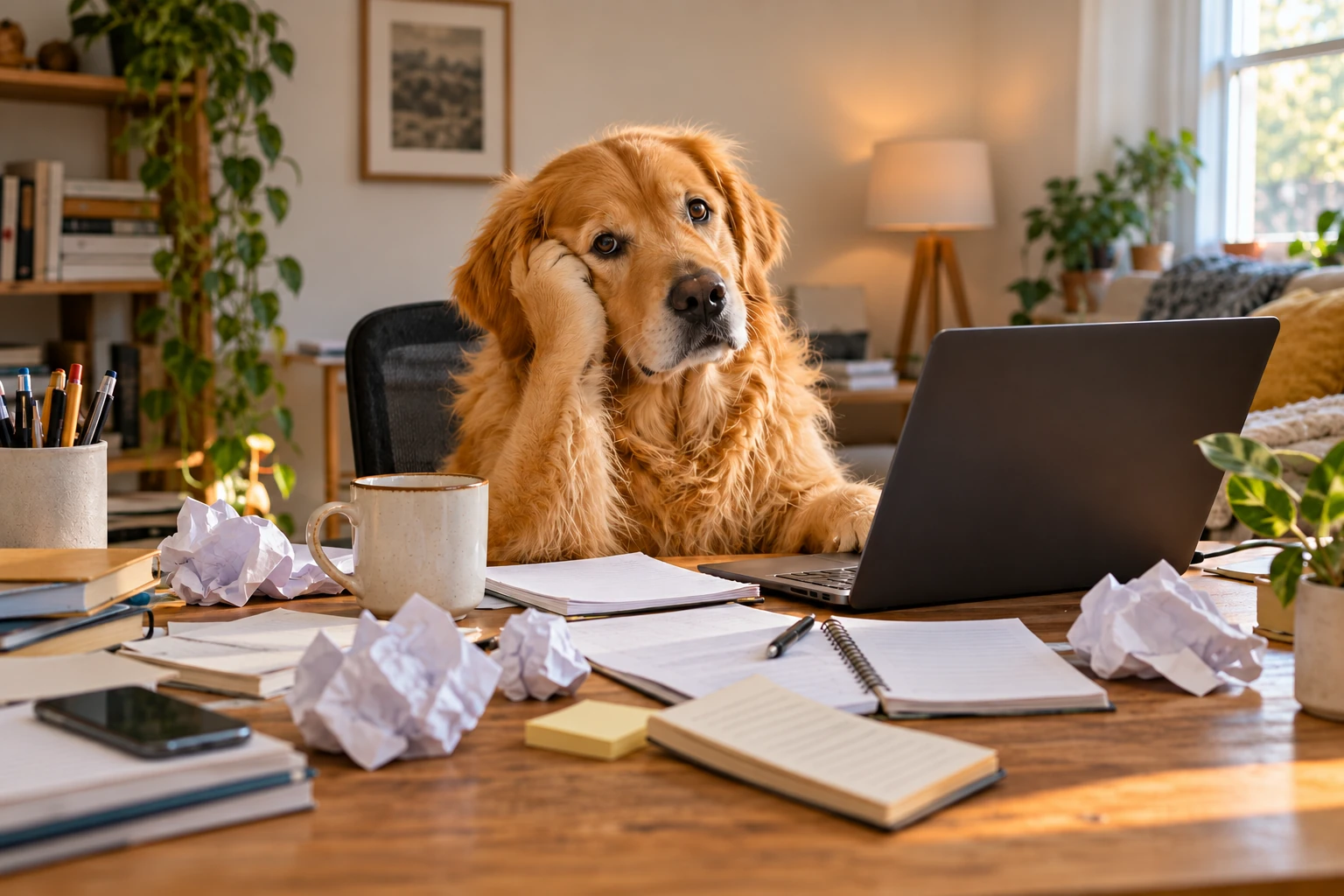
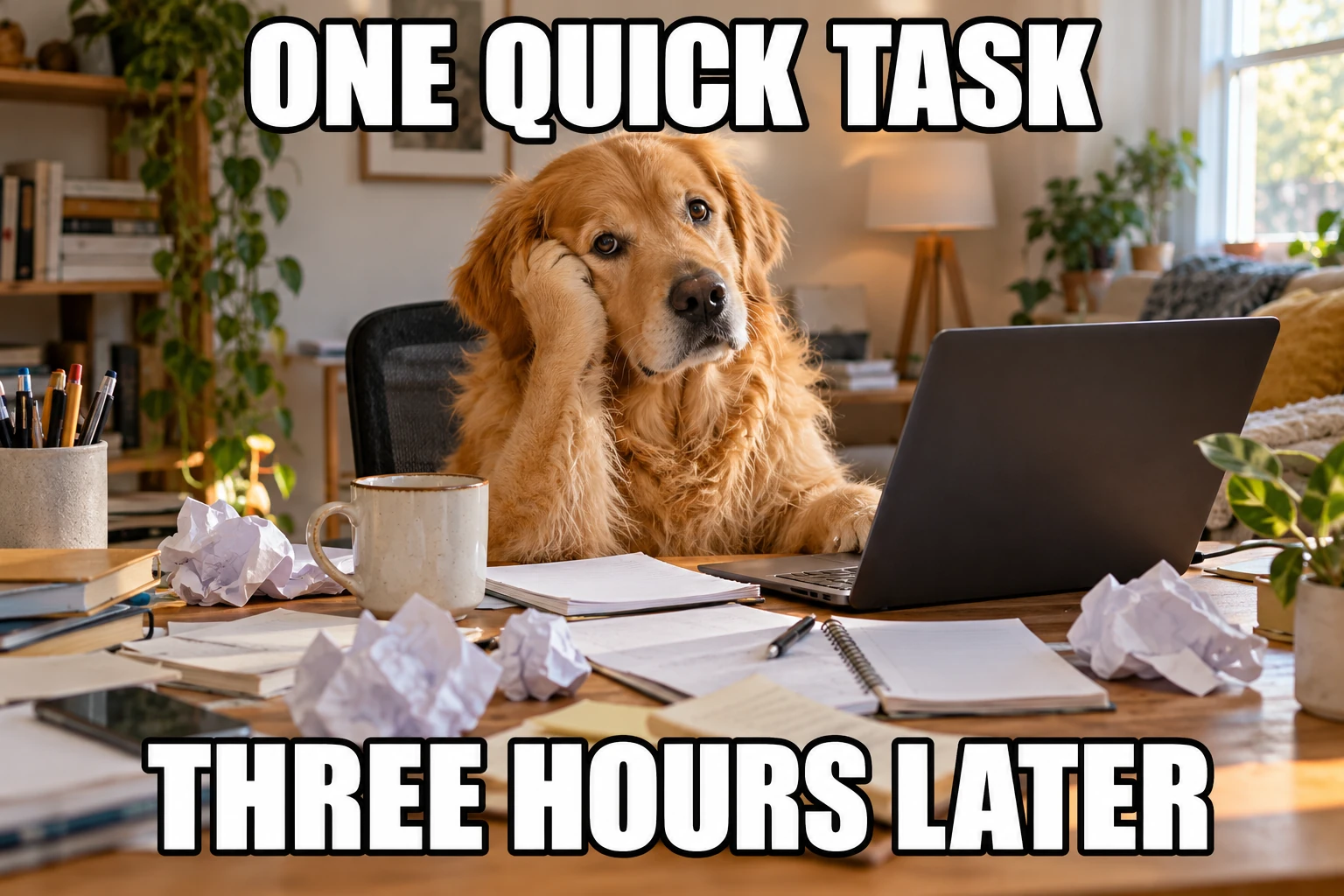
Original artwork generated November 2, 2026 · Actual Image Text Eraser result November 11, 2026.
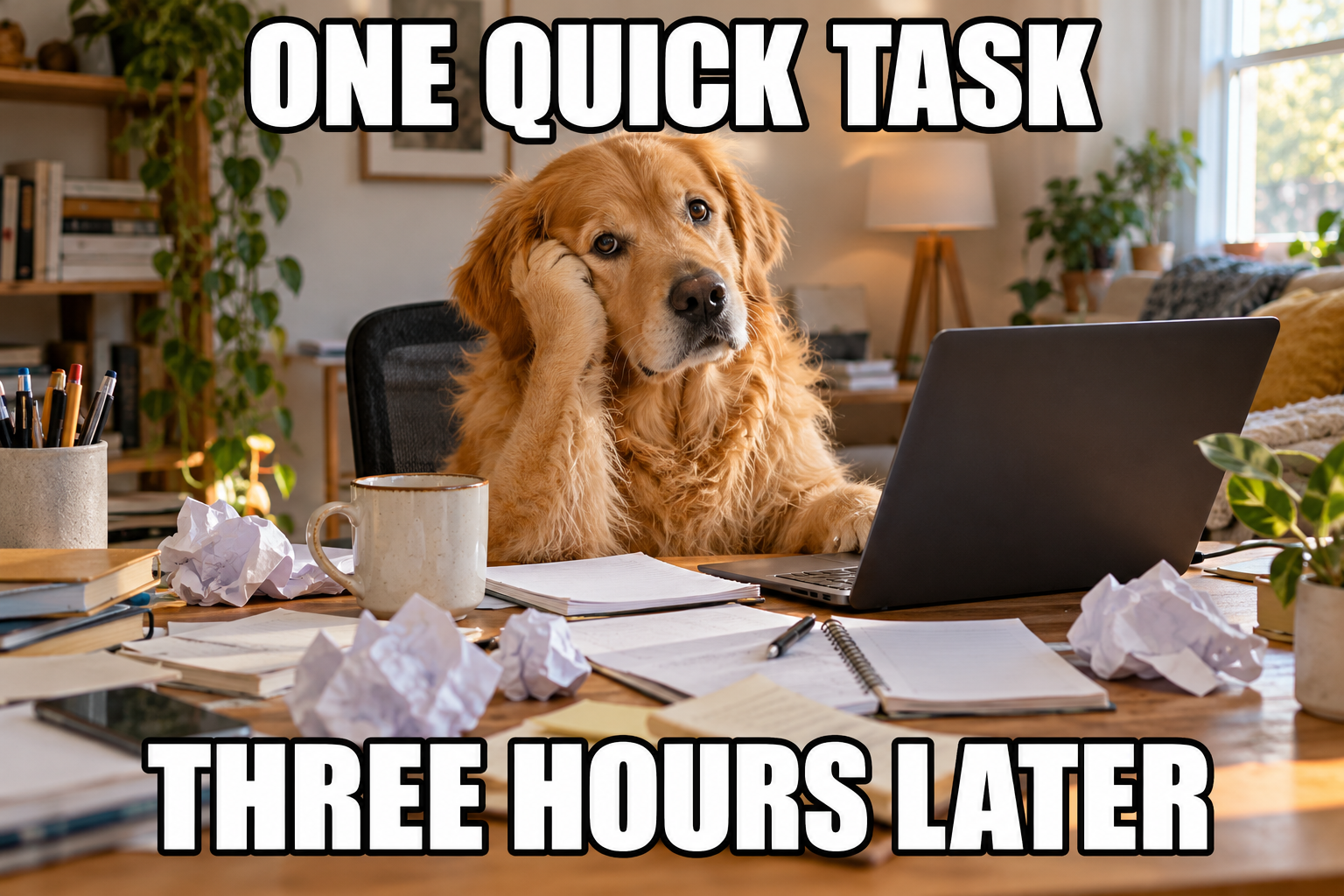
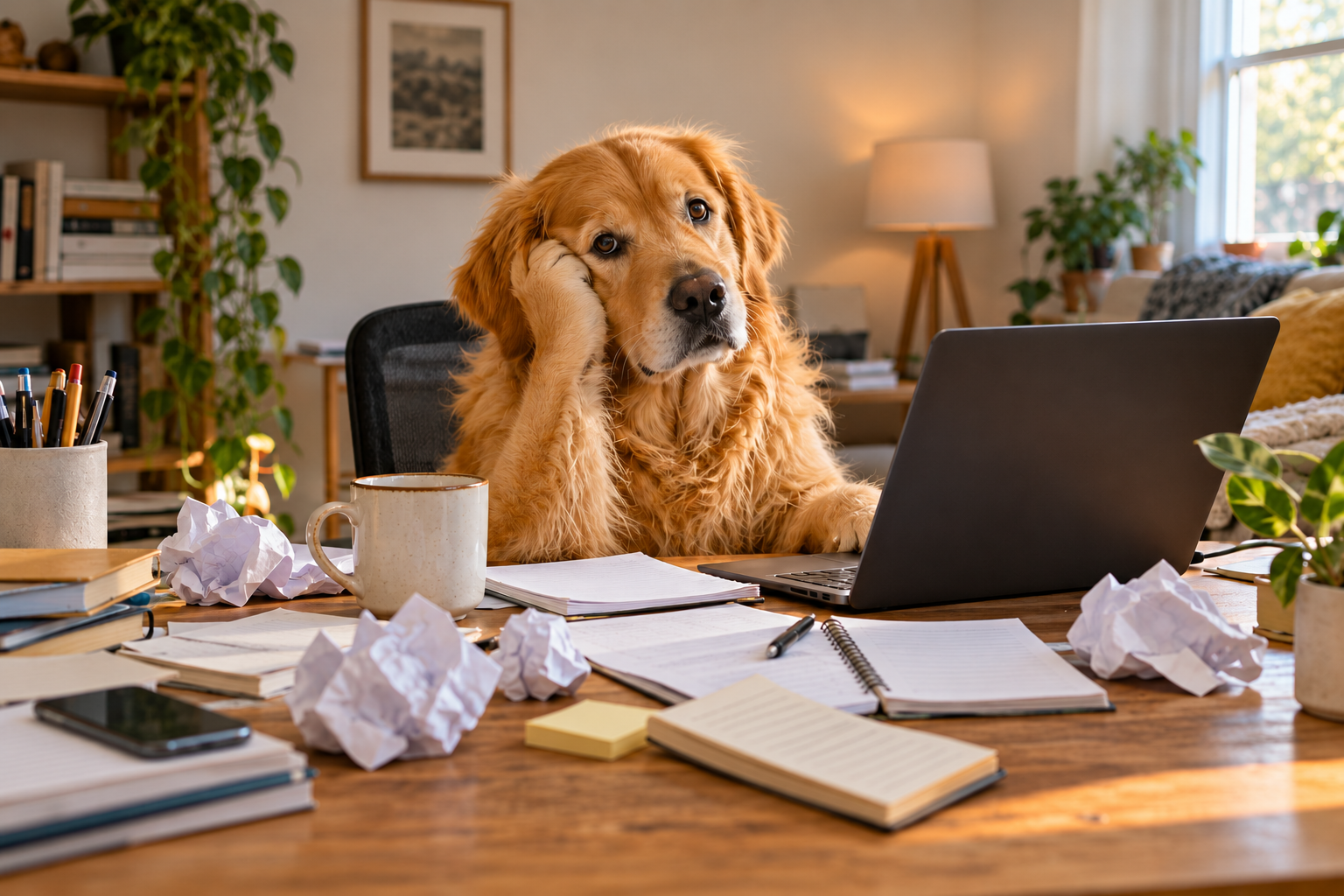
Inspect the subject at 2×
This enlarges the center of the same two files with CSS. Check the subject here; use the full PNGs at native size for caption edges outside this crop. Enlargement cannot establish an unchanged original.
Clear both caption positions
The inventory is “ONE QUICK TASK” above and “THREE HOURS LATER” below. Ask to remove both lines and their black outlines, then inspect the full upper and lower footprint instead of checking only the letter centers.
Remove "ONE QUICK TASK" at the top and "THREE HOURS LATER" at the bottom, including all white fill, black outlines and shadows. Reconstruct the photo beneath the letters. Keep the dog, its expression, fur, paws, desk, objects, lighting and composition. Do not crop or add new text.
Both caption lines and their thick black outlines are gone. Wall, plant and frame detail fill the upper line; desk and notebook texture fill the lower line. The dog’s pose remains recognizable, but fur, muzzle detail and paper edges also differ. The covered details are generated rather than recovered from a clean original. Returned PNG: 1536 × 1024.
Original artwork generated November 2, 2026 · Actual Image Text Eraser result November 11, 2026.
Inspect the subject at 2×
This enlarges the center of the same two files with CSS. Check the subject here; use the full PNGs at native size for caption edges outside this crop. Enlargement cannot establish an unchanged original.
Inspect a caption crossing the subject
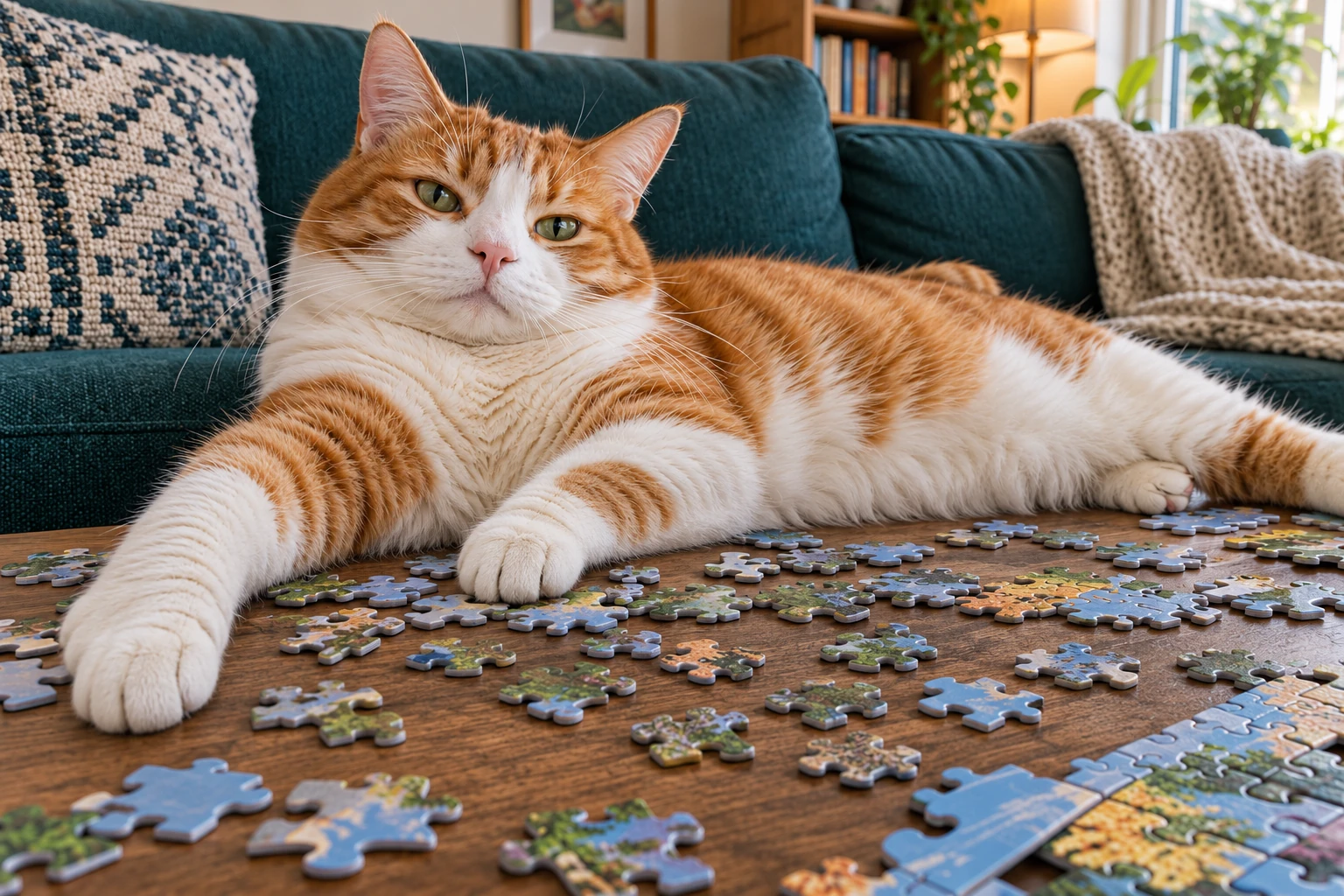
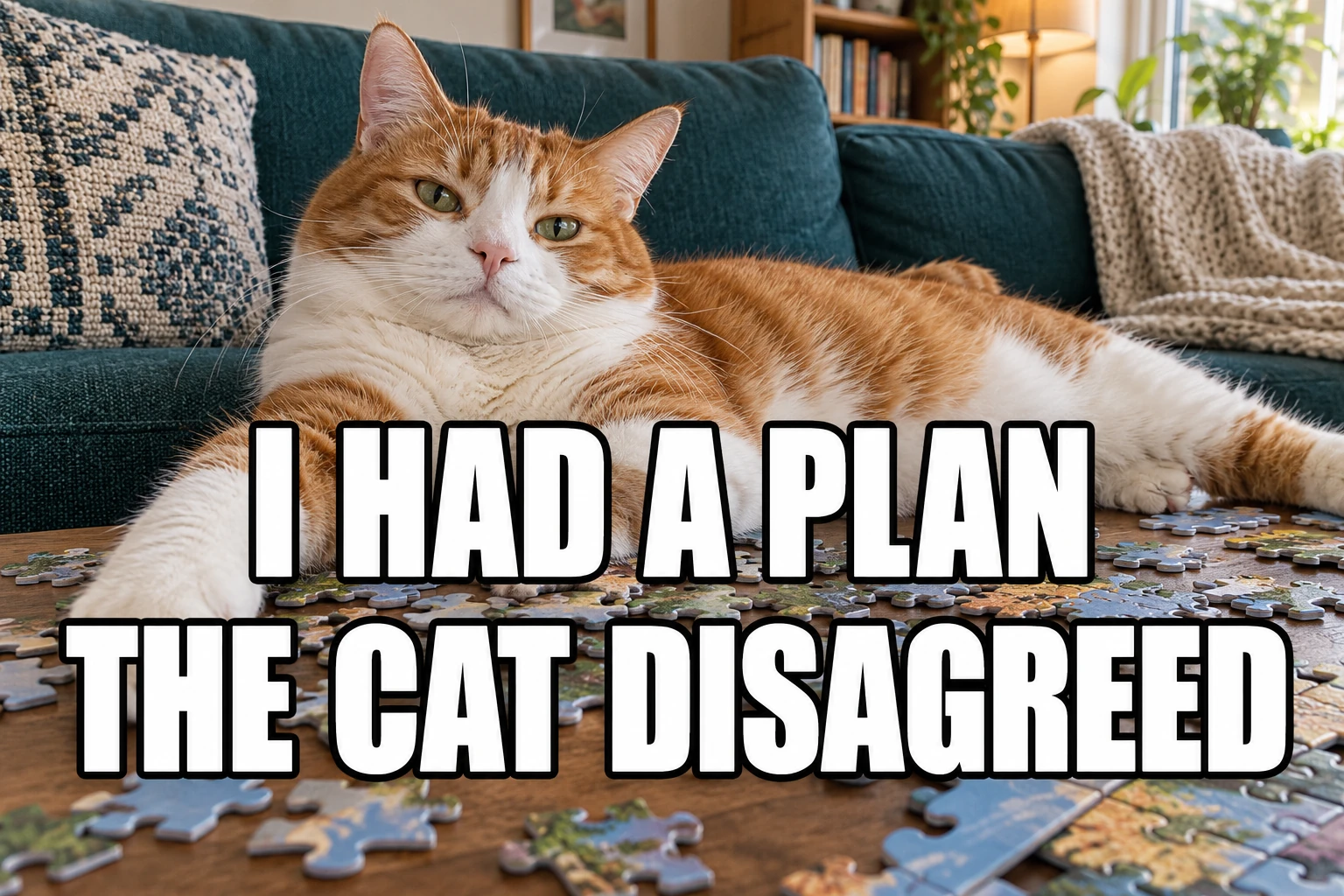
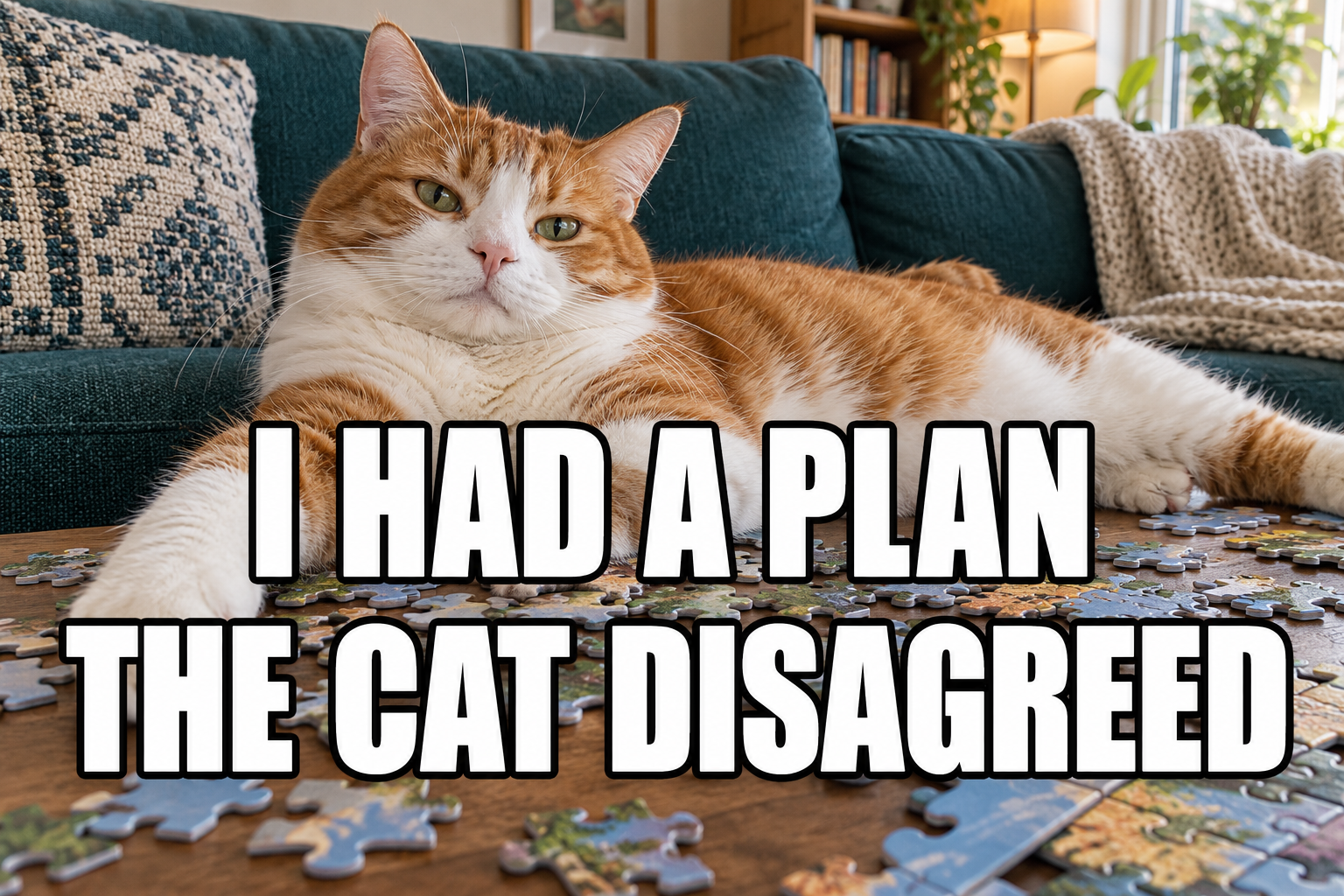
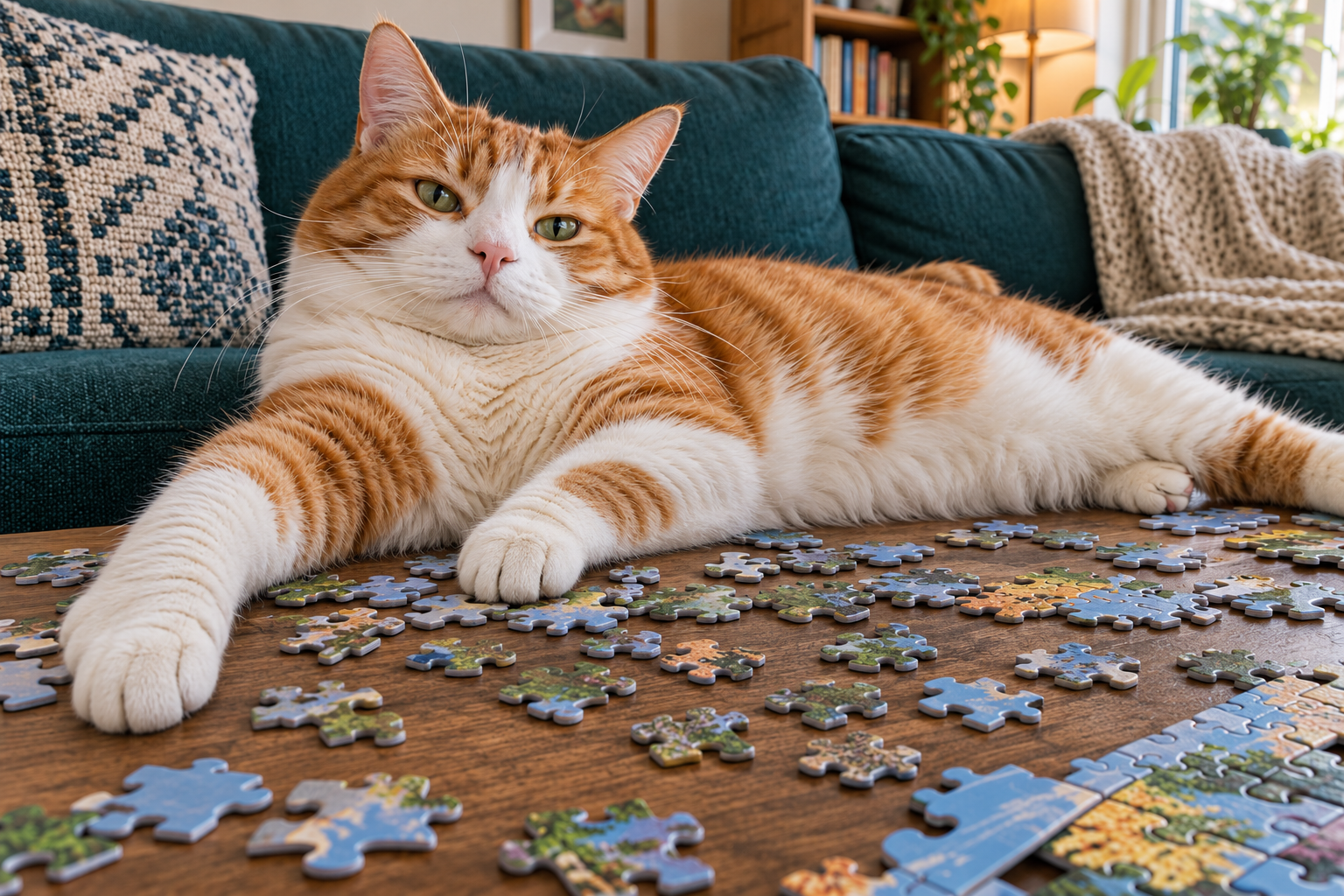
“I HAD A PLAN” and “THE CAT DISAGREED” create a second cleanup target near the cat. Trace the subject outline and inspect visible fur and paws as well as the old words. The tool fills covered areas; it cannot establish the exact hidden anatomy.
Remove "I HAD A PLAN" and "THE CAT DISAGREED", including all white fill, black outlines and shadows. Reconstruct the covered cat fur, body, paws and surrounding photo using nearby detail. Keep the cat, pose, expression, objects and framing. Do not crop or add replacement text.
Both lines and their black outlines are gone. The first line becomes fur and a front paw; the second becomes puzzle pieces and wood. Inspect the newly visible paw and body edge closely: the source cannot verify the anatomy hidden by the letters. Whisker and coat detail also changes, and puzzle shapes and positions differ. Returned PNG: 1536 × 1024.
Remove the overlay. Check what replaced it.
Before adding replacement words
A blank caption area still needs a visual check
Inspect the complete letters
- Check top and bottom edges for leftover stroke fragments or shadows.
- Inspect holes in letters such as A, O, P and R, plus gaps between words.
- Look for pale letter shaped patches and repeated texture along the old caption line.
Inspect the subject and composition
- Compare eyes, expression, fur direction and visible paws or hands with the original.
- Follow body edges through the cleared lettering; watch for broken silhouettes or invented detail.
- Check downloaded dimensions and the image at the size you will post. A small preview can hide defects.
| What you find | How to continue |
|---|---|
| Both old captions are gone and the picture meets your needs | Save the edited base and keep the untouched original separately. |
| A black outline or shadow remains | Name that remnant in a focused request, or use a controlled local edit. A new AI attempt consumes another task and credits. |
| Important expression or anatomy changed | Use the clean source if available, or edit locally where possible. Do not assume another generated fill will recover the original. |
When you add your new wording in another editor, leave the expression readable, check margins and line breaks, then preview the final meme at its intended posting size. The downloaded image contains no editable caption layers or font settings.
For a caption on a portrait, use the photo caption and likeness checks. To retain one line, use the specific text instructions. For texture repair, compare the background results.
Outlines, blank bases and new captions
Meme text removal FAQ
Can I remove both the top and bottom text from a meme?
Upload the saved image and quote both lines in Custom instructions. Include white letter fill, black outlines and shadows in the request. Inspect the full former caption areas after processing. The prepared request targets all meme captions; change it first if some wording should stay.
Can it remove thick outlines and text shadows too?
Name them explicitly. Letter fill can disappear while a dark edge, shadow or small piece inside a letter remains. Inspect the whole word footprint, including the holes inside letters and the spaces between them. Both examples here show actual returned files with the submitted requests.
Will the animal or person under the words stay unchanged?
The model generates replacement pixels and may redraw details elsewhere. There is no subject lock, mask or selection brush. Compare eyes, expression, fur, paws, hands and silhouette with the original as applicable. If the words hid those features, a plausible reconstruction cannot verify their original appearance.
Does removing the text recover the original blank meme template?
It creates an edited raster image. It does not recover the exact original hidden pixels, text layers, font settings or a source design file. If you already have a clean original or editable design, use that instead. These generated examples are original artwork, not downloads of established meme templates.
Can I add a new caption or keep one of the old lines?
Download the checked result, then add replacement wording in an image editor. This workspace does not add or format the new text. To keep one old line, replace the all captions request with an exact remove-and-keep instruction and read the retained line afterward. The specific text examples linked below show how to name those exceptions.
Which meme files and credits are supported?
Use static JPG, PNG or WebP images up to 20 MB each and 4,096 pixels on the longest edge. Current processing uses 10 credits per image. Up to 10 images can share one request; separate memes with different caption wording. Eligible new verified accounts currently receive 30 trial credits, enough for 3 images at that rate. Each new attempt uses another task and credits. Output dimensions and fine detail can vary; this workflow does not edit animated memes or video.